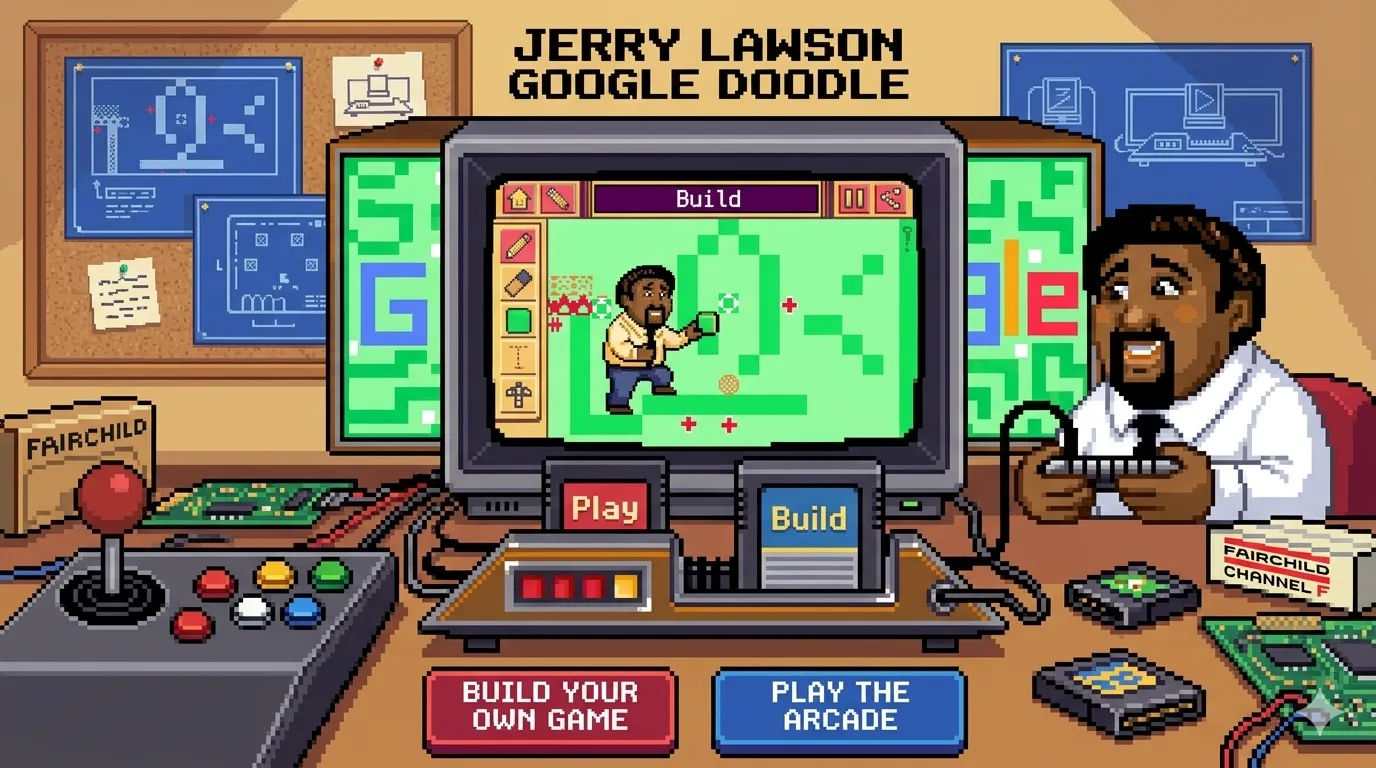
The Jerry Lawson Google Doodle is an interactive browser game created by Google to honor Gerald “Jerry” Lawson, an important figure in gaming history. He helped develop the first home gaming system with interchangeable cartridges, which changed the video game industry.
In this Google Doodle, players can enjoy retro-style mini games, explore different levels, and even create simple arcade games using easy drag-and-drop tools. The game is free to play online and works directly in a browser, making it fun and accessible for both kids and casual players.
Play Jerry Lawson Google Doodle Games Online
What Makes This Google Doodle Special?
The google doodle jerry lawson is more than a normal Google logo because it includes playable retro arcade games directly in the browser. Players can enjoy different mini-games with colorful 8-bit graphics and simple controls that are easy for both kids and beginners. The Doodle also begins with a short interactive introduction that celebrates Jerry Lawson and his contribution to gaming history. Each game has a different design and gameplay style, making the experience more fun and creative for users who enjoy classic arcade adventures.
Can You Create Your Own Game?
Yes, players can create and customize their own retro-style game inside the Doodle. The built-in game builder allows users to edit existing levels or start a completely new game from a blank cartridge. You can add platforms, enemies, coins, obstacles, and other elements to design your own playable level. After creating a game, users can share their custom level with friends through a browser link, which makes the Doodle more interactive and enjoyable for creative players.
Is the Game Free to Play?
The Jerry Lawson Doodle is completely free and works in most modern web browsers without installation or sign-up. Players can instantly open the game online and start playing within seconds. Since everything runs directly in the browser, users do not need to download files or purchase anything to enjoy the game or its creative features.
What Is the Jerry Lawson Google Doodle?
Who Was Jerry Lawson?
Gerald “Jerry” Lawson was an American engineer and one of the early pioneers of the video-game industry. He led the team that created the Fairchild Channel F, released in 1976, which became the first home gaming console to use removable ROM cartridges. This invention allowed players to switch between different games without buying a new console each time. During the early years of Silicon Valley gaming, Lawson was also one of the few Black engineers working in the industry. Later, he founded Video Soft, a company that developed games for the Atari 2600.
Why Did Google Honor Jerry Lawson?
Google honored Jerry Lawson doodle game on what would have been his 82nd birthday to celebrate his major role in gaming history. The interactive Google Doodle was designed to reflect Lawson’s innovation in cartridge-based gaming. In the Doodle, players can build and edit mini-games, similar to how Lawson’s technology allowed families to change game cartridges and enjoy different games on the same console at home.
Jerry Lawson’s Contribution to Video Games
Google Jerry Lawson helped change home gaming by leading the development of the first widely recognized cartridge-based console. His work made it possible for companies to sell games separately, which later influenced major gaming systems such as Atari and Nintendo. Before working on the Channel F project, Lawson also created an early arcade game called “Demolition Derby” in his garage. This project showed his talent and helped him earn a leading role at Fairchild.
How to Play the Google Doodle Game Jerry Lawson
Starting the Game
When you open the google doodle games jerry’s lawson, you begin with a short retro-style level featuring a pixel version of Jerri Lawson. The opening stage highlights important moments from his gaming career, including his work on the Channel F console. After finishing the level and reaching the goal flag, the game takes you to a cartridge menu where you can choose different mini-games to play, explore, or edit.
Completing Levels and Challenges
Each cartridge contains a simple challenge where the main goal is usually to reach the end of the level safely. Players move through platforms, avoid spikes and enemies, collect items, and use different blocks to progress. Some stages include moving platforms and small obstacles that help players learn how the game mechanics work. The gameplay stays simple and beginner-friendly, making it enjoyable for both children and casual players.
Building Your Own Retro Game
The game also includes a built-in editor that lets players create their own retro platform game. By selecting the empty cartridge with a plus sign, you can open the editor and place platforms, ladders, enemies, spikes, coins, and other objects on the map. The drag-and-drop system makes building levels easy, and you can instantly test your custom game by pressing the play button.
Jerry Lawson Google Game Doodle Controls
PC Controls
On desktop and laptop computers, the game uses simple keyboard controls similar to classic platform games. Players can use the arrow keys to move left and right through levels. The up arrow key or spacebar is used for jumping, depending on the browser settings. Menus and game options can be opened or confirmed with the Enter key or on-screen buttons.
The built-in level editor works with a mouse or trackpad. Players can select tiles, place objects on the grid, and use tools such as the pencil or eraser to design custom stages. The controls are straightforward, making it easy for beginners to start playing or creating levels without any setup.
Mobile & Tablet Controls
On mobile phones and tablets, the Google Doodle changes to touch controls with on-screen buttons. Virtual left and right arrows help players move through levels, while a jump button is used to cross gaps and obstacles.
The level editor supports tap-and-drag actions, allowing players to place, move, or remove blocks directly on the screen. Since the game runs fully in a web browser, no controller or gamepad is required. Users only need to open the Doodle and follow the on-screen instructions to start playing.
Accessibility and Easy Gameplay for Kids
The game is designed with simple visuals and beginner-friendly gameplay so children can enjoy it easily. Players can experiment with level creation, undo changes, test stages quickly, and focus on creativity without difficult controls or complex mechanics.
Features of the Jerry Lawson Game Google Doodle
Retro Arcade Graphics
The game features colorful pixel-art visuals inspired by classic 8-bit arcade and console games from the 1970s era. Characters, backgrounds, and animations use a simple blocky style that creates a nostalgic retro gaming feel. Each cartridge includes a slightly different visual design while still keeping the classic arcade appearance connected to Jerry Lawson’s contribution to gaming history.
Simple Platform Gameplay
Gameplay is based on easy 2D side-scrolling platform mechanics. Players run, jump, avoid obstacles, and try to reach the goal at the end of each level. The levels are short, beginner-friendly, and designed for quick play sessions. Simple controls make the game enjoyable for children, casual players, and users who want fast browser-based entertainment.
Game Builder Mechanics
One of the main features is the built-in game editor. Players can:
- Change platform and wall layouts
- Add enemies and traps
- Place collectible items
- Edit scoring elements
- Set start and finish points
This mini level designer gives users a simple way to understand how game creation and level design work in real video games.
Creative Tools and Customization
Players can edit existing cartridges or create completely new levels from scratch using simple design tools. After finishing a custom level, the game provides a shareable link so friends or classmates can open and play that version directly in their browsers.
Tips and Tricks for Beginners
How to Improve Faster
New players should start by playing all preset cartridges before using the game editor. These levels help users understand how platforms, enemies, items, and movement work together. After learning the basics, editing an existing level is usually easier than creating a new one from an empty grid. Small changes help players understand level design more quickly and make the learning process simpler.
Avoid Common Mistakes
Many beginners add too many enemies, traps, or hazards in one level, which can make the game difficult and less enjoyable. A better approach is to keep levels balanced and easy to understand. Players should test their own levels several times to check whether jumps, obstacles, and enemy placement feel fair. If a level becomes too hard to complete, reducing hazards or creating more space can improve gameplay.
Best Strategies for Kids and New Players
Kids and first-time players learn faster when they focus on one gameplay mechanic at a time, such as jumping, timing, or avoiding obstacles. Simple levels are easier to understand and more fun to play. Parents and teachers can also encourage children to explain why they placed certain enemies or platforms, helping them practice creativity, planning, and problem-solving while playing the game.
Is Jerry Lawson Google Doodle Good for Children?
Educational Benefits
The Jerry Lawson Google Doodle helps children learn while playing. Kids can understand simple game design ideas like creating levels, testing gameplay, and improving mistakes. It also supports logical thinking, sequencing, timing, and basic problem-solving skills.
While playing, children learn how actions inside a game affect movement, jumping, and level progress in a simple and fun way.
Creativity and Problem Solving
The game gives players tools to build and customize their own levels, which encourages creativity and imagination. Children can experiment with different ideas, create challenges, and adjust levels to make them easier or harder.
This process helps them think critically and solve problems step by step. Kids can also share levels with friends and discuss what makes a game enjoyable, balanced, and fun to play.
Safe Browser Gameplay
The Doodle works directly inside the browser and does not require downloads, accounts, or extra installations. There are no in-game chats or distracting ads, making it safer for children in classrooms or at home. With normal parental or school supervision, the game remains family-friendly, educational, and easy for kids to access on different devices.
Can You Download the Jerry Lawson Google Doodle Game?
Is There an Official Download?
The Jerry Lawson Google Doodle does not have an official downloadable version from Google. It was created as an online browser game that works directly on the web.
Some third-party websites may share or embed the game, but they are not official Google sources. Users can simply open the Doodle in a browser and start playing without installing anything.
Can You Play Offline?
The game is mainly designed for online play, so an internet connection is usually needed to load it. In some cases, browsers may temporarily keep the page saved in cache after opening it once, but Google does not officially support full offline gameplay. For the best experience, it is recommended to play while connected to the internet.
Best Devices for Playing
The Doodle works smoothly on most modern devices, including desktops, laptops, Chromebooks, tablets, and smartphones. It runs best on browsers that support HTML5 and JavaScript. Larger screens and keyboards can make game creation and editing easier, while touchscreens are useful for quick and simple gameplay.
Jerry Lawson Google Doodle Unblocked
Can You Play at School or Work?
Whether the game is unblocked depends on school or workplace internet rules. Some networks block gaming websites, while others allow Google Doodles because they are educational and creative. If Google Doodles are accessible, the Jerry Lawson game usually works like other browser mini-games and may even be used for learning simple game design ideas.
Browser Compatibility
The Jerry Lawson Google Doodle works on most modern browsers, including Chrome, Edge, Firefox, and Safari. It can run on desktops, laptops, tablets, and mobile phones. However, the game may not load properly on older browsers or devices with strict security settings and disabled scripts.
Safe Ways to Access the Game
For the safest experience, play the game through Google’s official Doodle page or archive. Avoid unknown “unblocked games” websites because some may contain excessive ads, pop-ups, or unsafe scripts. Official sources are more reliable, secure, and provide the original version of the game without unnecessary risks.
Similar Games You May Also Like
Google Snake Game
Google Snake is a simple browser game where players control a moving snake that grows longer after eating food. The main goal is to avoid crashing into walls or the snake’s own body. It is easy to play, fast to load, and helps improve quick reflexes and hand-eye coordination in short gaming sessions.
Google Dinosaur Game
The Chrome Dinosaur Game appears when there is no internet connection in Google Chrome. Players control a running dinosaur that must jump over cacti and avoid flying birds. It is an endless runner game with simple one-button controls, making it easy for all age groups to enjoy without learning complex mechanics.
Magic Cat Academy
Magic Cat Academy is a fun Google Doodle game where players control a magical cat fighting ghosts. You draw shapes on the screen to cast spells and defeat enemies. The game focuses on quick reactions, pattern recognition, and simple gesture-based controls instead of traditional jumping or running gameplay.
Blob Opera
Blob Opera is a creative music-based game where colorful blobs produce singing sounds. Players can drag them up and down to change pitch and create unique harmonies. It is not a traditional action game but focuses on creativity, sound exploration, and experimenting with music in a fun interactive way.
Google Santa Tracker
Google Santa Tracker is a holiday-themed platform with many small mini-games and activities. Players can explore puzzles, learning games, and simple challenges related to Santa’s journey. It is designed for entertainment and education, especially for children during the Christmas season with easy and engaging gameplay.
FAQs
What is the Jerry Lawson Google Doodle game?
It is an interactive Google Doodle combining mini platform games and a level editor honoring Jerry Lawson and celebrates his impact on modern gaming history.
Is the game free?
Yes, the entire browser Doodle experience is free to play with no purchases or subscriptions and works in any modern browser.
Can I make my own game in the doodle?
Yes you can edit preset cartridges or create a level from scratch using the built-in editor and share it via link with sharing options for friends or classroom use instantly available.
Can kids play this game safely?
The game is family friendly with simple controls, no in-game chat, and is suitable for children in a supervised browser environment making it ideal for safe educational entertainment for children use.
Does the game work on mobile?
Yes it works on smartphones and tablets using touch controls and standard mobile browsers no download required for usage.
Can I download the game?
There is no official downloadable version; it is designed to be played online through Google Doodle page completely browser based without any install needed.
Is the game still available online?
Yes archived Doodles are usually kept in Google Doodle archive where they remain accessible online through official Google archive pages access.
What inspired the doodle?
It is inspired by Jerry Lawson’s cartridge-based console innovation and classic arcade aesthetics from the 1970s and 1980s reflecting early gaming innovation and creativity spirit era.
Do I need to install anything to play?
No installation required; a modern browser with JavaScript enabled is enough to play and edit levels just a browser and internet connection needed only.